
Designing and Sizing Inverters for Photovoltaic Systems in Polysun SPT
When planning a photovoltaic system, designing and sizing the inverter correctly is key to ensuring the system’s performance and efficiency. In the ‘Inverter Design’ tab of Polysun SPT, you can select either automatic or manual design. The automatic design feature enables you to select a suitable inverter and determine the number of modules per string based on specific project parameters. Important factors such as the maximum DC power of the inverter and the total rated power of the generator field are taken into account by the software. If the automatic design does not meet your requirements, Polysun SPT enables you to manually adjust the inverter design to suit your needs or constraints. An inverter design must be specified for each plan.
Automatic Inverter Configuration
An inverter design must be defined for each planning process. You can choose between an automatic and a manual design.
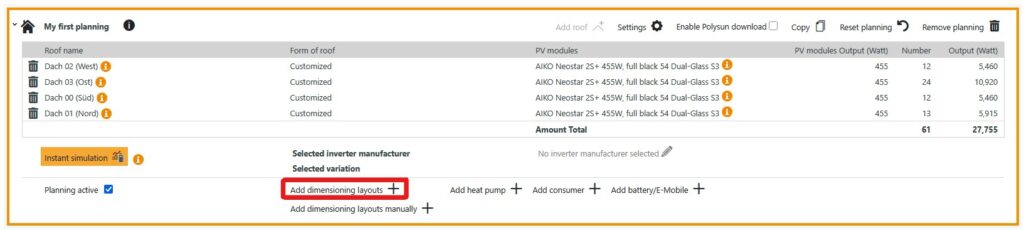
To add an automatic inverter design variant to the planning, please click on “Add dimensioning layout”.
This opens another menu. First select an inverter manufacturer here. In the “Restrict inverter” column, you can restrict the inverter search using a number of criteria.
The inverters stored in the database are then displayed. All available inverters are selected by default, but you can also restrict the selection.
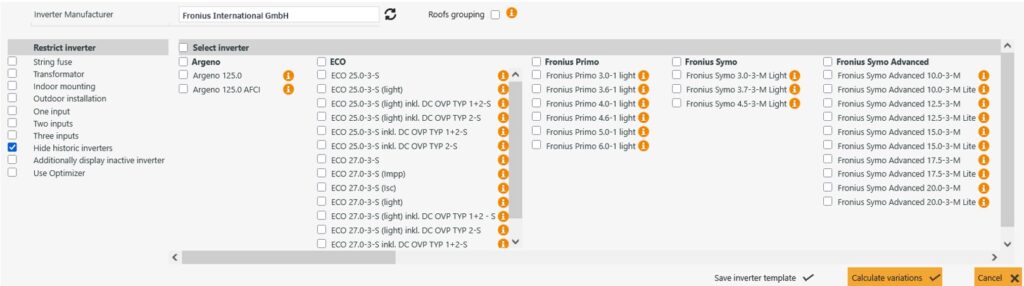
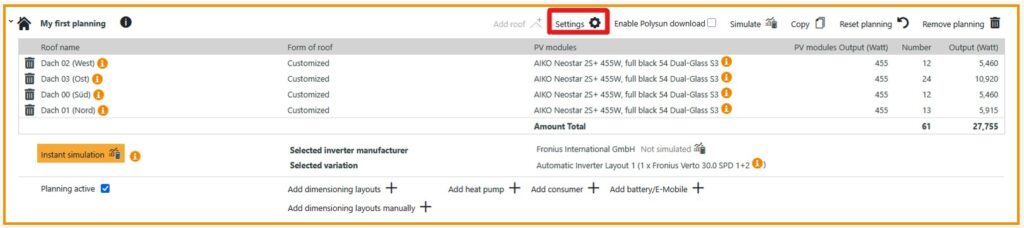
Then click on “Calculate variations” to have Polysun suggest a suitable design. Confirm this design variant with “Use variations”. The design is now displayed in the planning.
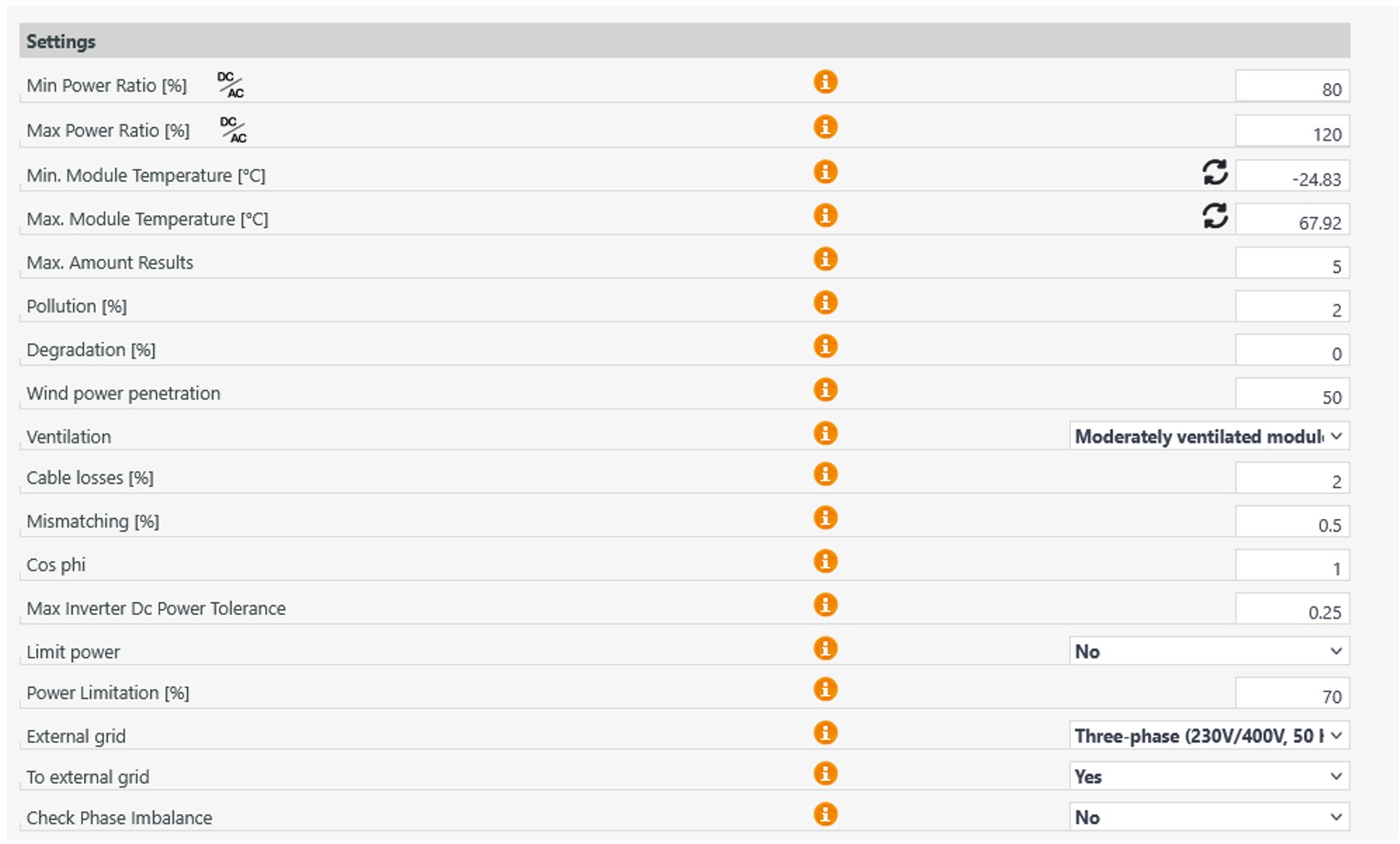
If no inverter design is found, the settings for the inverter design can also be adjusted.
Here you can, for example, adjust the minimum or maximum power ratio or change the cable losses.
Manual inverter design
If you want to create a manual inverter design, select “Add dimensioning layouts manually”.
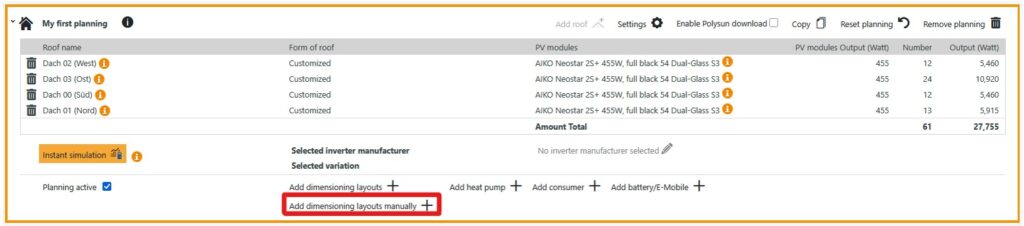
Next, you can add an inverter of your choice in the new window.
A separate input is displayed for each MPP tracker in Polysun SPT (input A and B in the illustration). If you have added several roofs with the same modules to your planning, the option to create additional string groups per input will also appear.
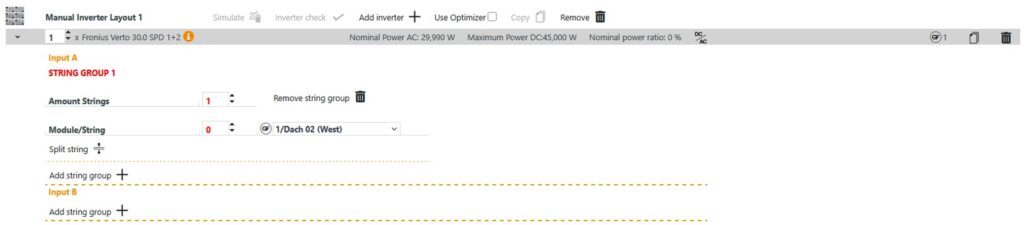
At the end of the selection you will see a list of the roofs. This clearly shows how many modules still need to be strung per roof. Once all modules have been strung, the manual inverter selection can be saved.

Both design variants are described in the following video.
Video: Automatic and manual inverter design
Can I simulate multiple inverters in one project?
Yes, Polysun allows you to design multiple inverters with different orientations or roof areas. The software checks the voltages and currents for each inverter separately and displays possible adjustments for optimum performance.
What is the difference between inverter design and inverter dimensioning?
Design refers to the selection of the appropriate inverter for the PV system. Dimensioning concerns the precise technical calculation of voltage, current and power so that the inverter operates within the permissible values.