
Sizing Batteries, Heat Pumps, and E-Cars in Polysun SPT
Correctly sizing a battery is pivotal to designing a robust PV system. Combining a PV system with heat pumps and the ability to charge electric cars significantly increases self-consumption and optimises energy efficiency. Effective battery sizing enables surplus solar power to be used on demand, thereby reducing reliance on the grid. Careful planning and sizing of batteries, heat pumps and electric cars is essential for the optimal use of solar energy. With Polysun SPT, even complex scenarios can be precisely modelled.
Available Configurations
You can add various electrical components to the PV system design:
- a consumer
- an E-Mobile
- a battery
- a heat pump
Consumer
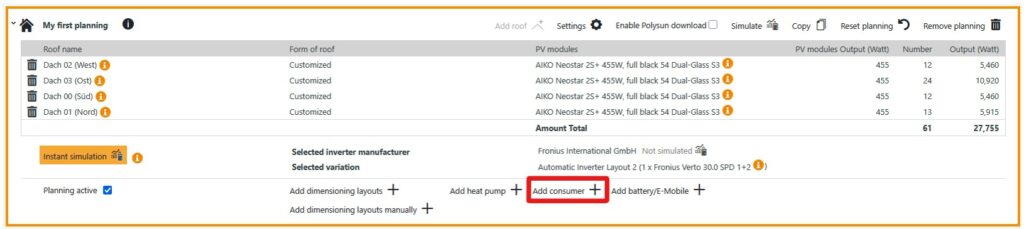
To select a consumer, first click on “Add consumer”.
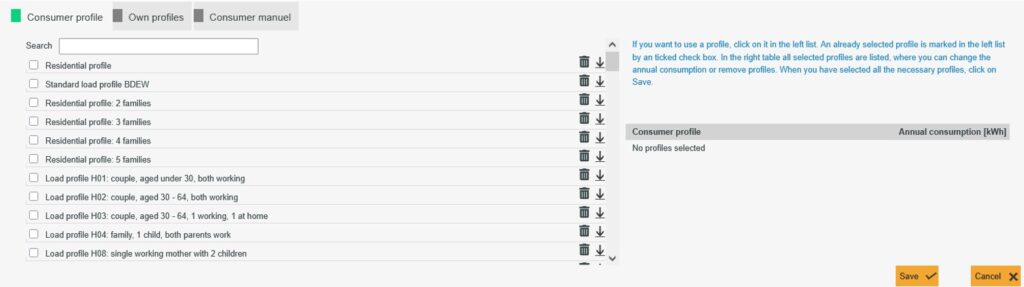
On the one hand, you can select a given consumer profile under “Consumer profile”; on the other hand, you can also create your own profile by clicking on either “Own profiles” or “’Consumer manual”.
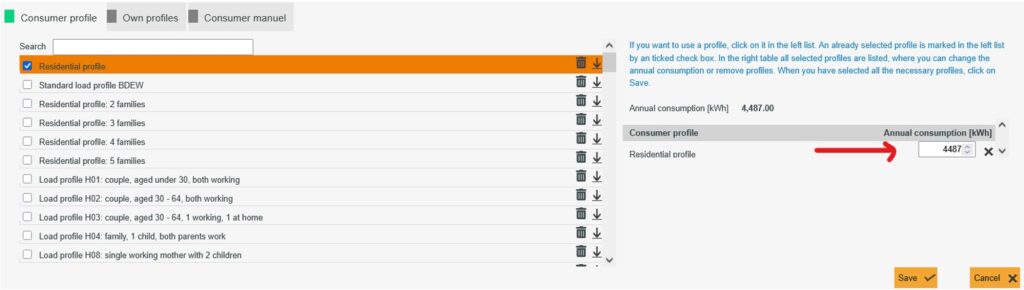
If you have chosen a consumer profile, you can adjust the annual consumption manually. The profile will then be scaled accordingly.
You can also use customised profiles in Polysun SPT in the “Own profiles” tab.
To do this, select “Upload new profile” and a new window will open. Here you can upload a CSV file, for example. You can find out exactly what you should pay attention to when uploading the file in the article “Import load profiles“.
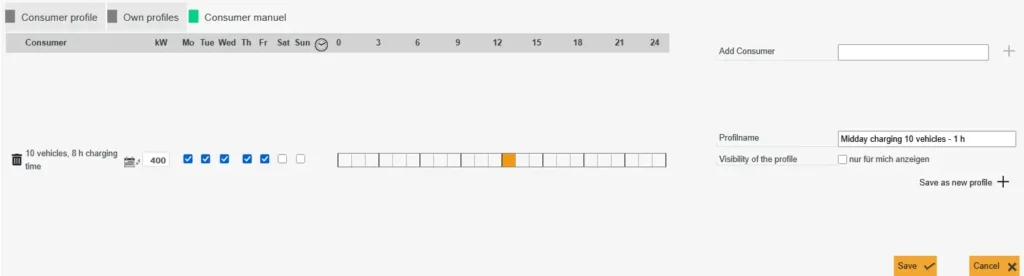
Under “Consumer manuel”, you can set the time for various consumers and save them as a consumption profile.
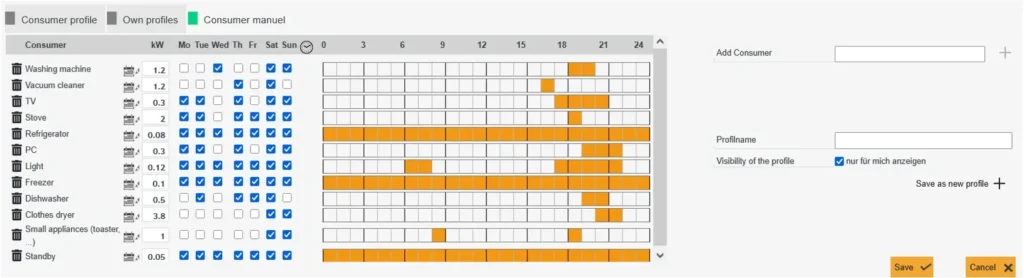
At this point, you have the option of adjusting the performance for the respective component. You can also define the running time for a period of one week or one day. Of course, you can delete the stored components and also define new consumers. If you are happy with the profile, you can now enter a profile name and save the profile. The profile can then be selected under “Own profiles”.
Electromobility
The “e-mobile” component in Polysun basically behaves like a battery – in particular, it is charged when there is a surplus of PV electricity. We therefore recommend visualising electromobility using a load profile. Here you can enter the search term “car”, for example, under “Consumer profiles” and receive several profiles to choose from.
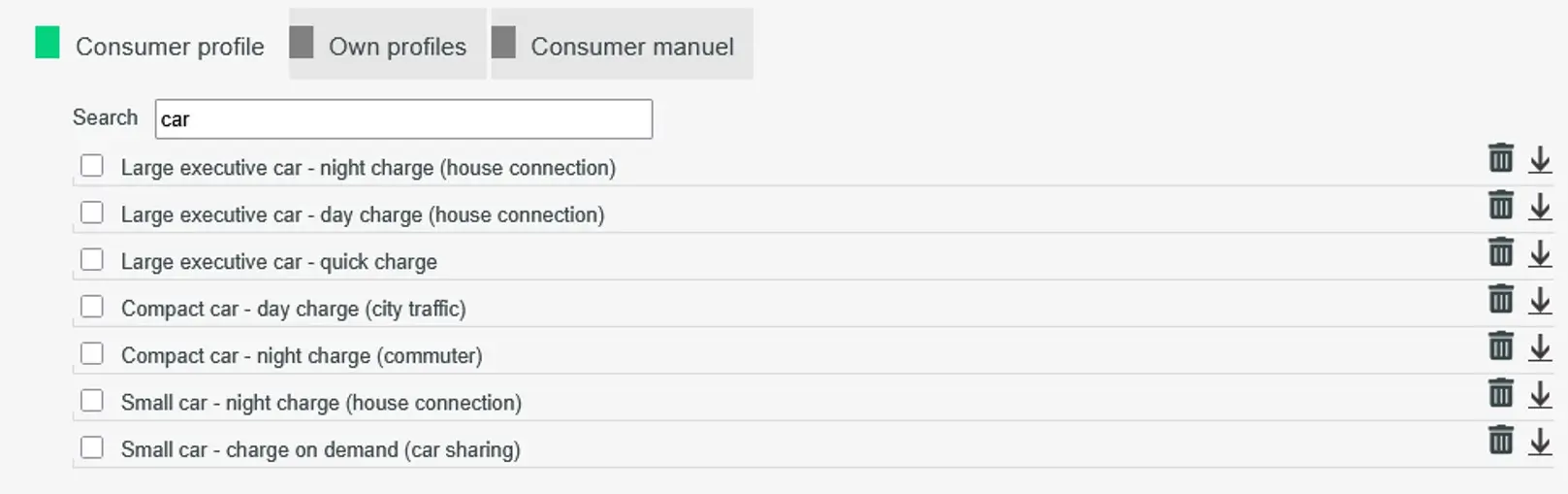
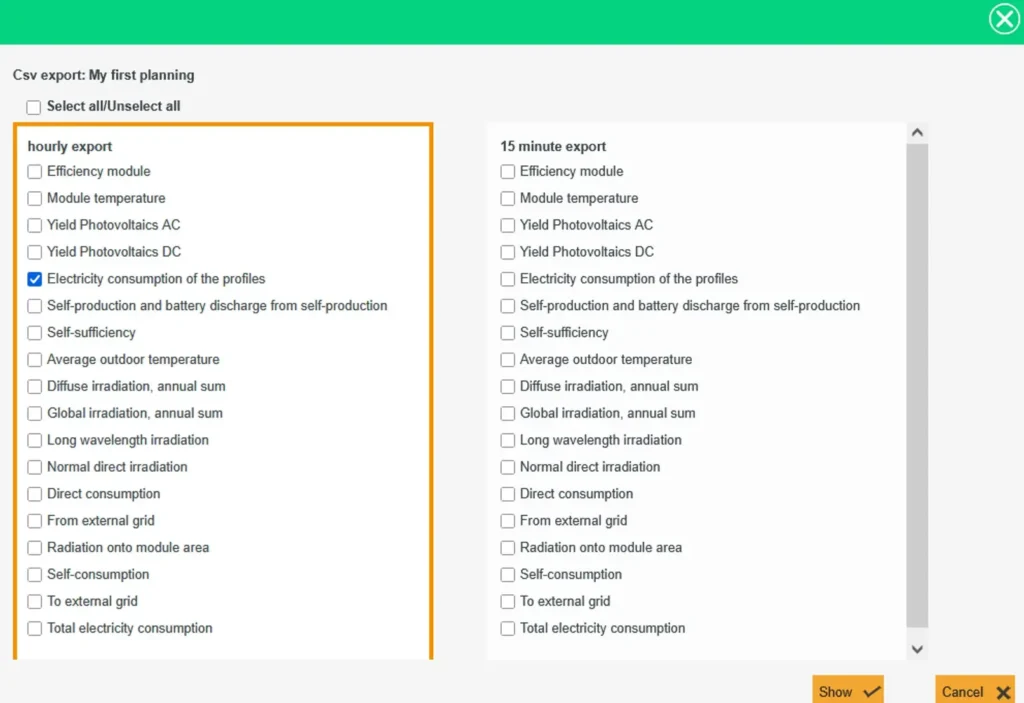
If you are interested in the exact consumption values of a profile, you can select it and have it output using the “Csv export” function.
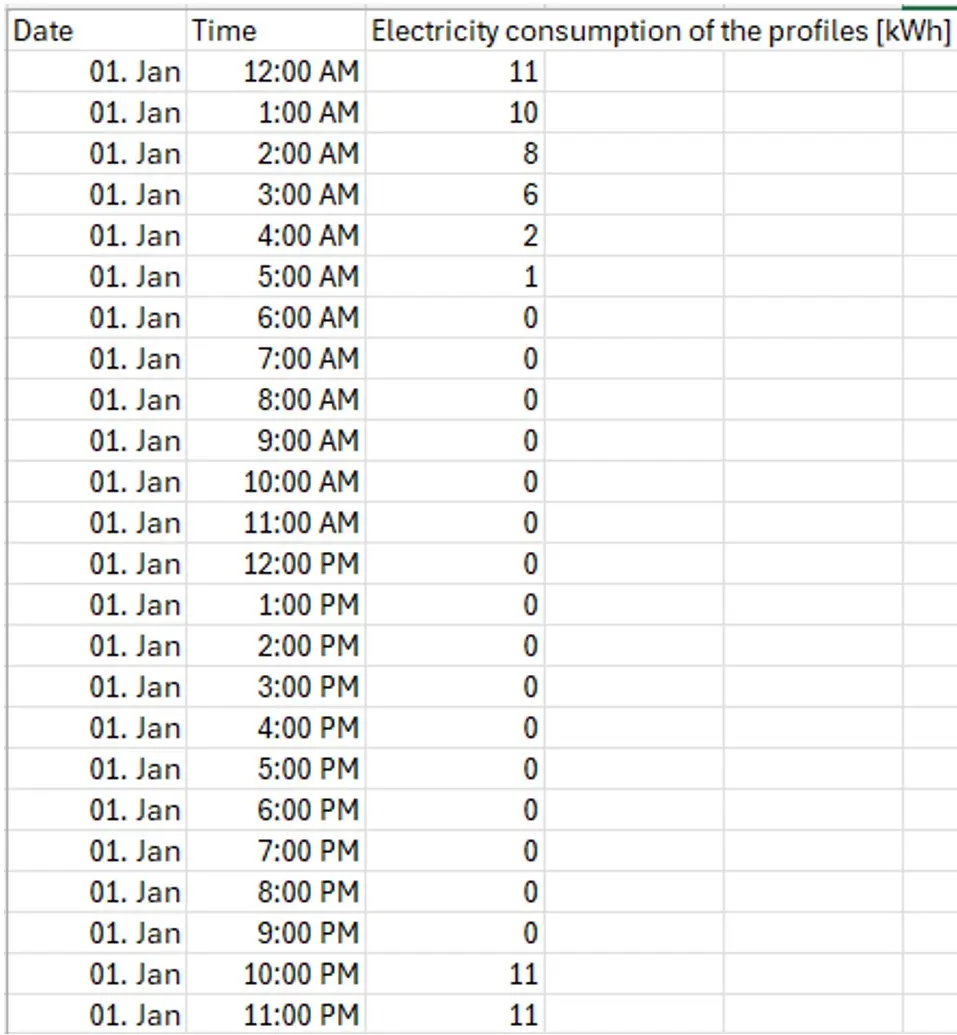
The following example shows the profile “Large executive car – night charge (house connection) 21,900 kWh”.
You can also store your own profiles for electric mobility. When visualising ten electric vehicles with a consumption of 40 kWh each and a power limit of 44 kW per charging station, proceed as follows:
- Firstly, please consider the times at which the vehicles are to be charged. It is possible to charge the vehicle overnight, to spread the charging process over the working day or to schedule the charging process for midday in order to cover the PV power as well as possible.
- The second consideration is how long the vehicles should be charged. Will a car be charged briefly and with a lot of power, or rather over a longer period of time with less power? Depending on the situation, this choice can have a greater or lesser impact on self-consumption.
We can compare two consumption profiles:
Day charge – 8 h charging time
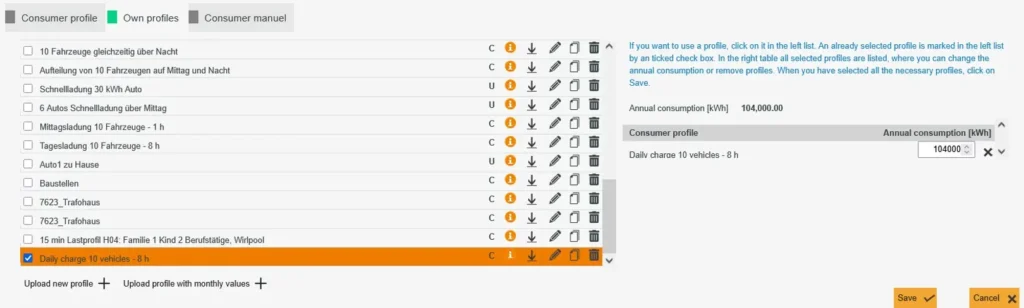
Assuming that 10 employees charge their vehicles at work for a total of 8 hours, this would mean charging at 50 kW per hour (8 hours * 5 kW * 10 vehicles = 400 kW). The following load profile can then be stored. Label the profile and then click on “Save as new profile”.
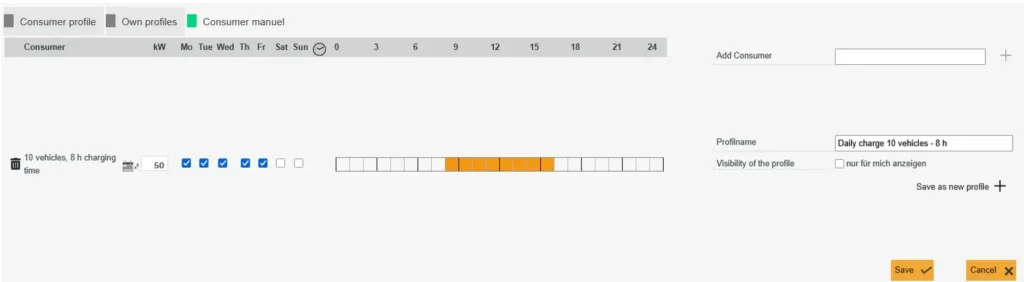
The profile is now stored under “Own profiles”. You can select the profile there and save it in the planning. The profile just created has an annual consumption of 104000 kWh.
Midday charging – 1 h charging time
If 10 employees charge the vehicle for just one hour, then it is charged with an output of 400 kW. The profile would look like this.
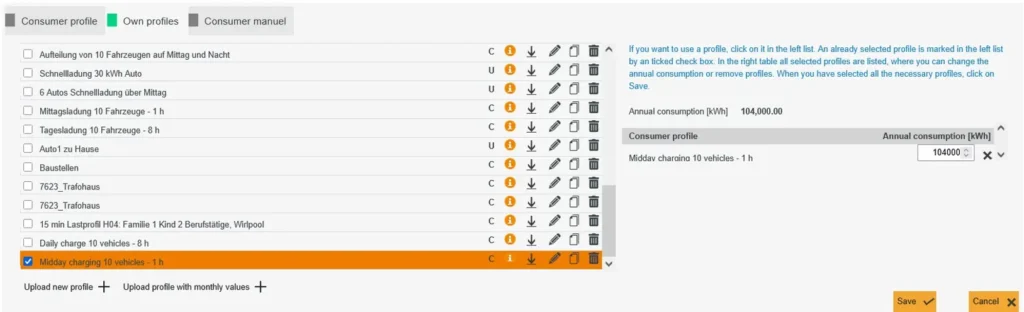
This profile can also be saved and selected under “Own profiles”. The annual consumption remains the same because the total output has not been changed.
Battery
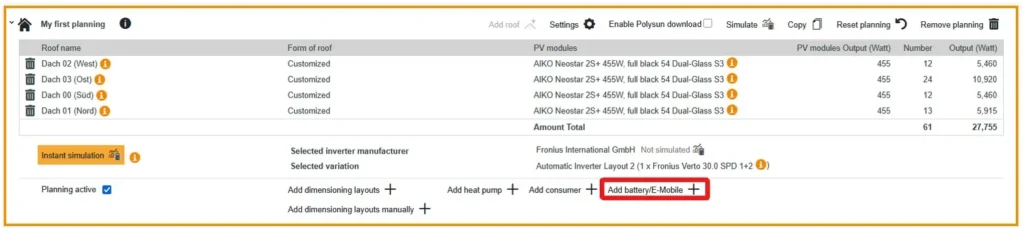
To select a battery, click on “Add battery/E-Mobile”.
You can now add a battery. To do this, first select the battery manufacturer by clicking on “Select battery manufacturer …”.

Once you have chosen a manufacturer, you can select a battery. The “Add battery” field will then appear at the bottom. Click on this to select the battery. You can also change the number of batteries.
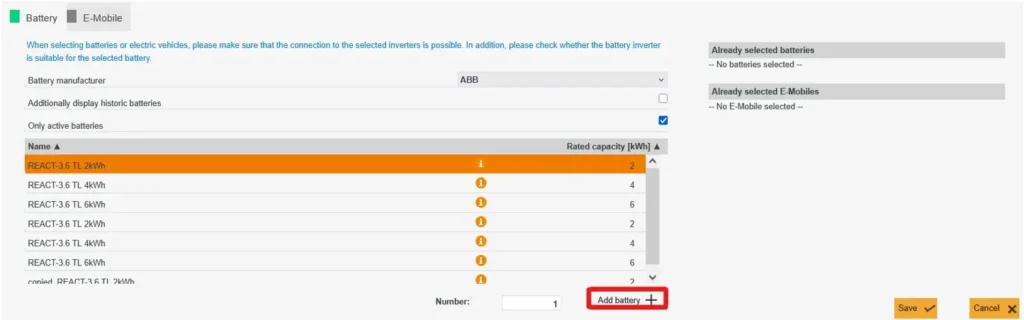
If you click on the editing arrow next to the battery inverter, you can also select the battery inverter. If you want to leave the inverter as it is, you can now click on “Save”. The battery is then saved in the planning.

Heat pump
To add a heat pump to a planning, select “Add heat pump”. A heat pump can be selected based on various criteria. On the one hand, the building properties, such as the heated area, and on the other hand the hot water requirement or a heat pump model can be used.
Video: Adding a heat pump to Polysun SPT