
Reinstallation of Polysun on another PC
To install Polysun on a new PC, the licence must first be reset.
- The following link will take you to the licence page: https://velasolaris.prod.sentinelcloud.com/customer/login
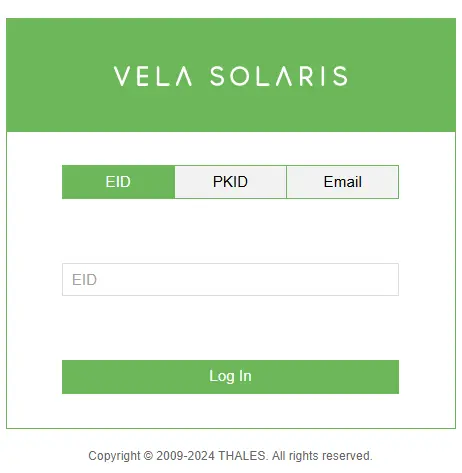
- A window will open. Please enter the EID or PKID that you require for registration with Polysun.
- You are now on the overview page.
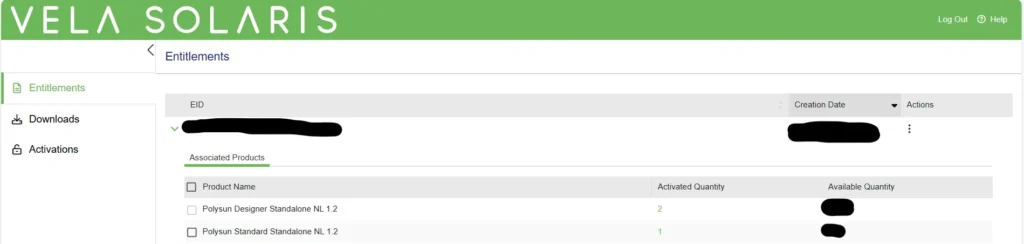
- Your licence activation count is in the ‘Activated Quantity’ column.
- If you now want to install Polysun on a new PC, you must first reset the licence that has already been activated on the old PC so that the licence is available again for the new PC. To do this, click on the green-coloured number in the ‘Activated Quantity’ column. If you have several products, please ensure that the correct product has been selected.

- You are now on the activation page. Now click on ‘Revoke’ in the ‘Actions’ column (green field). You will be asked again whether you really want to activate the licence. Please click on ‘Revoke’ again. If the activation is successful, an automatic e-mail will be sent to the e-mail address registered in the system.
- Now you can download Polysun on the new PC via the following link: https://www.velasolaris.com/downloads/ and log in again with the EID or PKID via the activation wizard.