
Creating Professional Solar Energy Reports in Polysun SPT
Solar energy report creation in Polysun SPT enables PV planners to produce professional, customizable reports for photovoltaic systems directly from the planning process. These reports include essential yield data and economic analyses, designed for customer proposals and informed decision-making. Automated solar energy report generation saves time in sales, providing a clear summary of PV desing details, graphics, and simulation results for convincing project presentations.
Create Project Reports for the Planned Solar Power System
As soon as you have fully configured your project, you can create a project report in the “Output” tab. To do this, click on “Report” and select the information relevant to you. Then click on Project report and have the report output as a PDF.

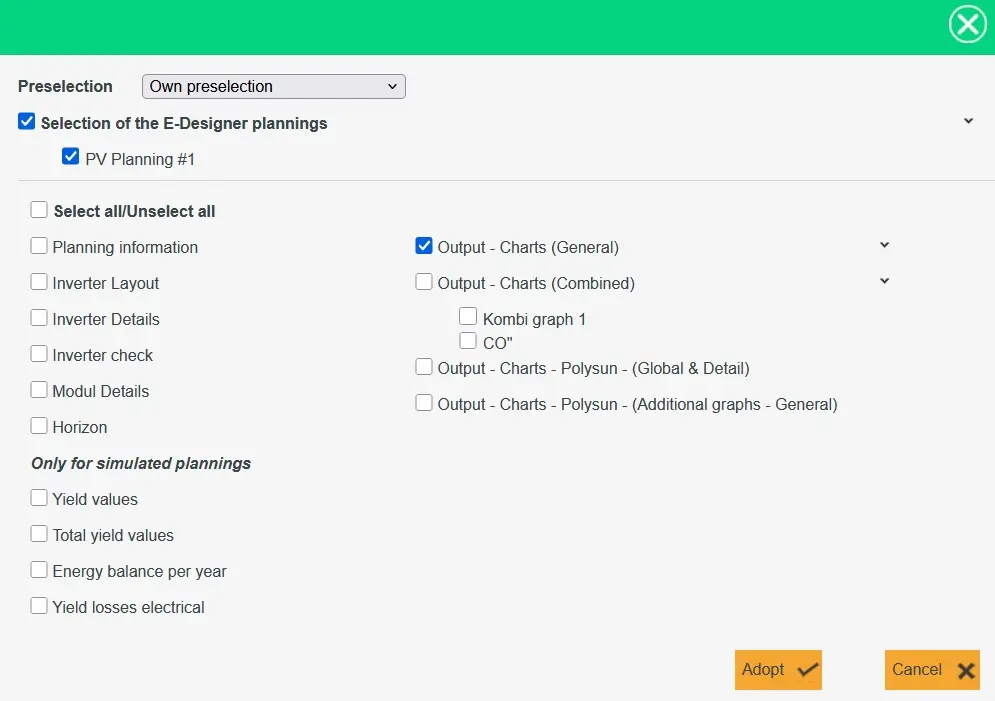
The “E-Designer” tab offers the option of displaying different data graphically. If individual graphs are to be listed in the project report, they can be selected in the cogwheel next to “E-Designer”.
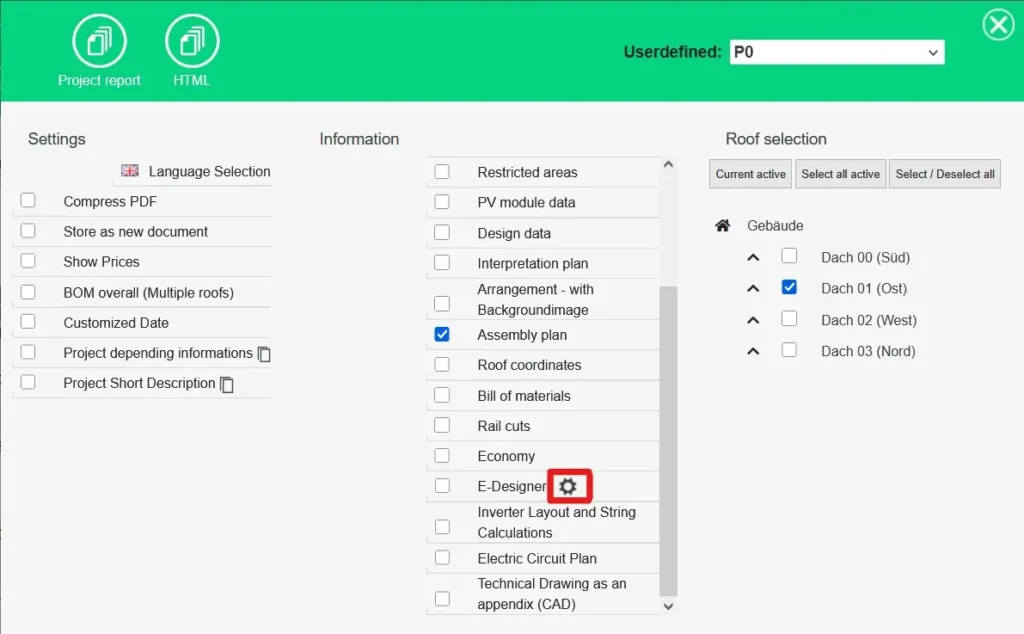
In order to be able to output the profitability in the project report, the profitability must first be calculated. After the calculation in the “’Economy”’ tab, go back to the “’Output”’ tab. You can now select the economy so that it is displayed in the project report.
How do I create a solar energy report in Polysun SPT?
To create a solar energy report, fully configure your PV project, then navigate to the “Output” tab. Click “Report,” select relevant data (e.g., yield or economic analyses), and choose “Project report” to generate a PDF. This automated process ensures professional, customer-ready reports.
Can I include custom graphs in a Polysun SPT solar energy report?
Yes, you can add custom graphs to your solar energy report using the “E-Designer” tab. Select the desired data visualizations, then use the cogwheel next to “E-Designer” to include specific graphs in the report, enhancing its clarity and impact for client presentations.
How do I add profitability data to a solar energy report in Polysun SPT?
To include profitability in your solar energy report, first calculate it in the “Economy” tab. Then, in the “Output” tab, select the economy data for inclusion. This ensures your report provides a comprehensive financial overview for informed decision-making.