
Hourly Energy Demand for optimal HVAC Design
This model works with hourly energy demand input. It allows accurate modeling of the heating/cooling system by specifying energy demand in the building along with an optional set-point temperature for each hour.
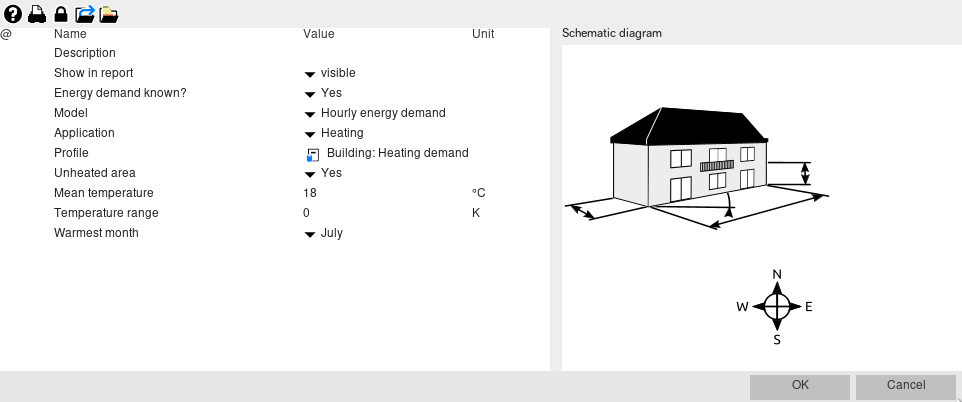
The hourly demand profile can be selected from the Profile catalog (“Thermal power demand”).

Depending on the number of columns in the CSV file, the profile may be interpreted differently:
- Profile with 3 columns – Time, power and a set-point temparature: The variable set-point temperature is read from the profile.
- Profile with 2 columns – Time and power: A constant set-point temperature can be set in the building’s configuration table.
- Profile with 4 colums (designed for the energy sink/source) – Time, inlet temperature, outlet temperature and power: Only the power column is used. The inlet and outlet temperature colums are ignored by the building model. A constant set-point temperature can be set in the building’s configuration table.
The power column is the heating or/and cooling demand of the building in W. A variable set-point temperature in the building can be specified for each hour in °C. It may be useful to define a variable set-point temperature, since it can depend on the season or time of day. Please note that heating demand values should be positive (plus) and cooling demand values should be negative (minus). In contrast to the energy sink/source, the building cannot read profiles with both positive and negative values.
The hourly energy demand model can be used as an „interface“ to another simulation software. This simulation software should allow generation of building energy demand with hourly time resolution. In this case the building can be first simulated in details in the building simulation software (e.g. Energy Plus, IDA ICE etc.) and then “imported” to Polysun, where energy supply system can be designed and sized. This “interface” allows importing both the whole building and different thermal zones of the building.