To get your project off to a quick start, the 8-step quick start guide provides a solid foundation. The first step, “Selecting Standard Templates,” is described in detail below.
Standard template selection
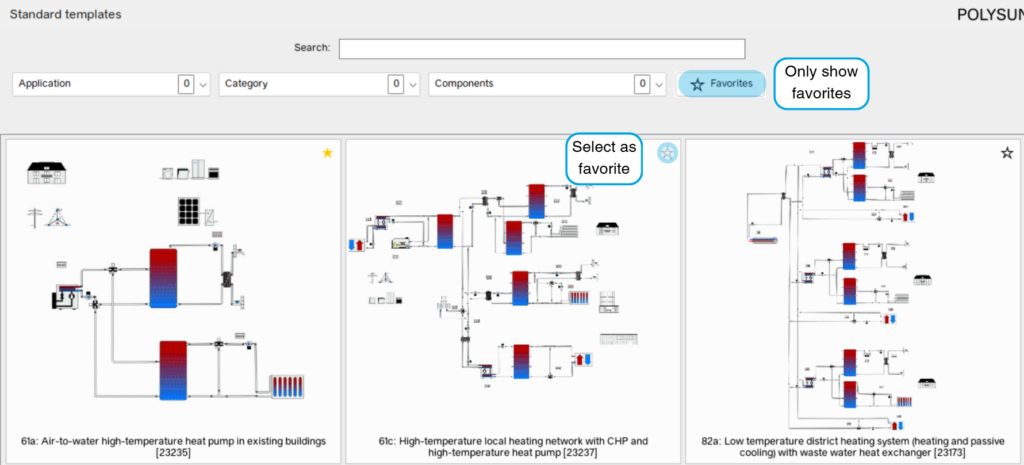
The standard templates can be opened in the main window, at the top left.

The default templates menu provides templates for a wide range of application areas. Templates can also be filtered by application, category, and components to help find a suitable template for the desired project. The following filter options are available when filtering templates:


In addition, the search bar can be used to filter by keywords or template numbers to search for specific templates. This search function can also be combined with the dropdown filters to narrow down the search further.
Favorites
In the default templates menu, individual templates can be set as favorites. To do this, click on the star in the top right corner of the template. Once a template has been set as a favorite, it is marked with a yellow star. Favorites can be removed the same way. When clicking on the “Favorites”-Button only the selected favorites are shown.