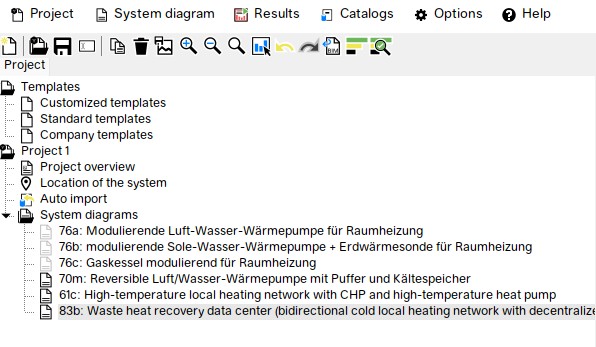
In Polysun, a project defines the site specifications and the loads of an energy system. It also contains various variants. A project can be created via the menu bar under Project – New Project. The project can be saved using the Project – Save Project function.
A variant defines all components and the interconnections of the energy system. A variant can be created via the menu bar under Variant – Create New Variant (starting at the Designer level) or via the Standard Templates tab. Each variant can be simulated individually, and its results can be displayed. A variant is always embedded in a project and can only be saved together with it. Typically, multiple variants are added to a project in order to compare and optimize them.
Polysun provides a range of predefined standard templates. A template defines (like a variant) an energy system. Templates can be imported into a project; they are then referred to as variants and can be modified and simulated.